Audit log is a central area of the system where all activity within the Core dna admin can be monitored and reviewed. Actions on every Core dna application such as Created / Updated / Deleted is recorded in this area.
Audit Log
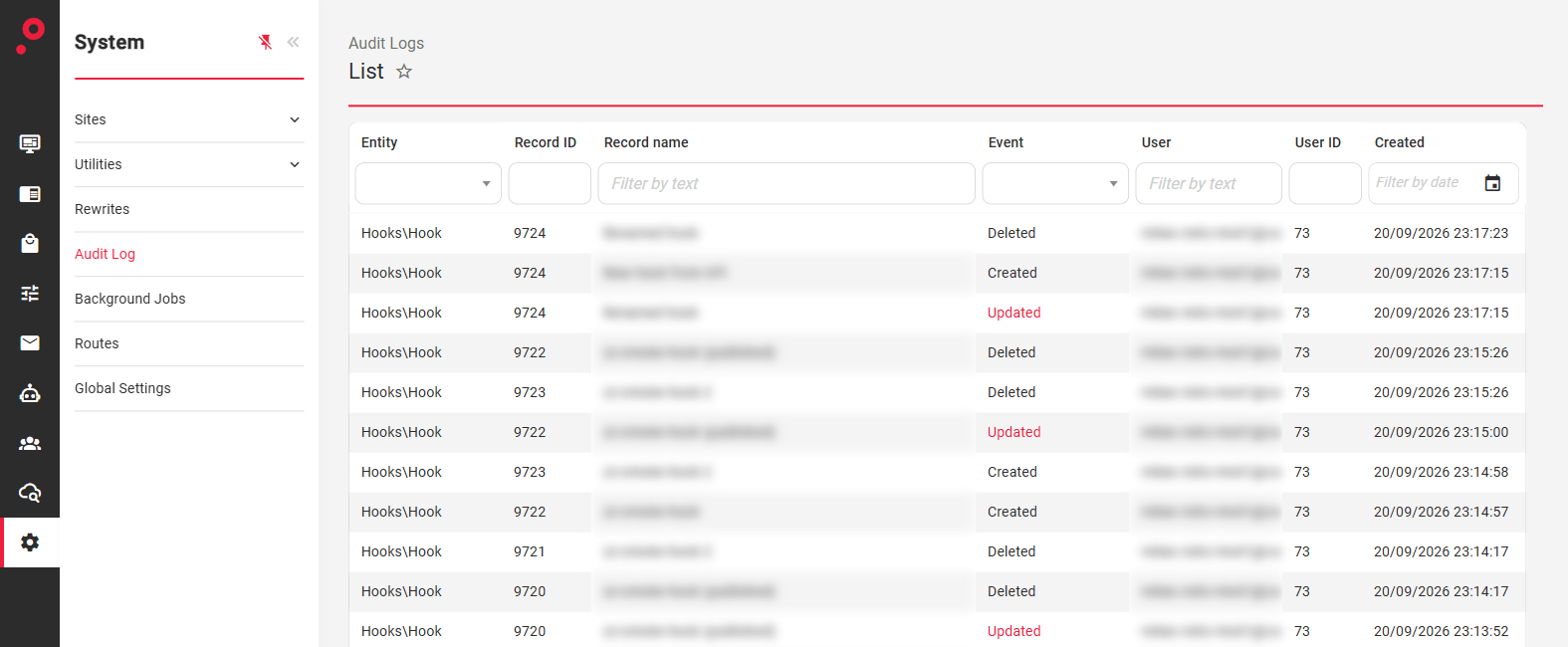
All activity log is presented in a table view holding the following information:
Entity
Record ID
Record Name
Event
User
User ID
Created
Audit Log list is also present on the main Core dna Dashboard page, positioned at the right hand side of the admin:
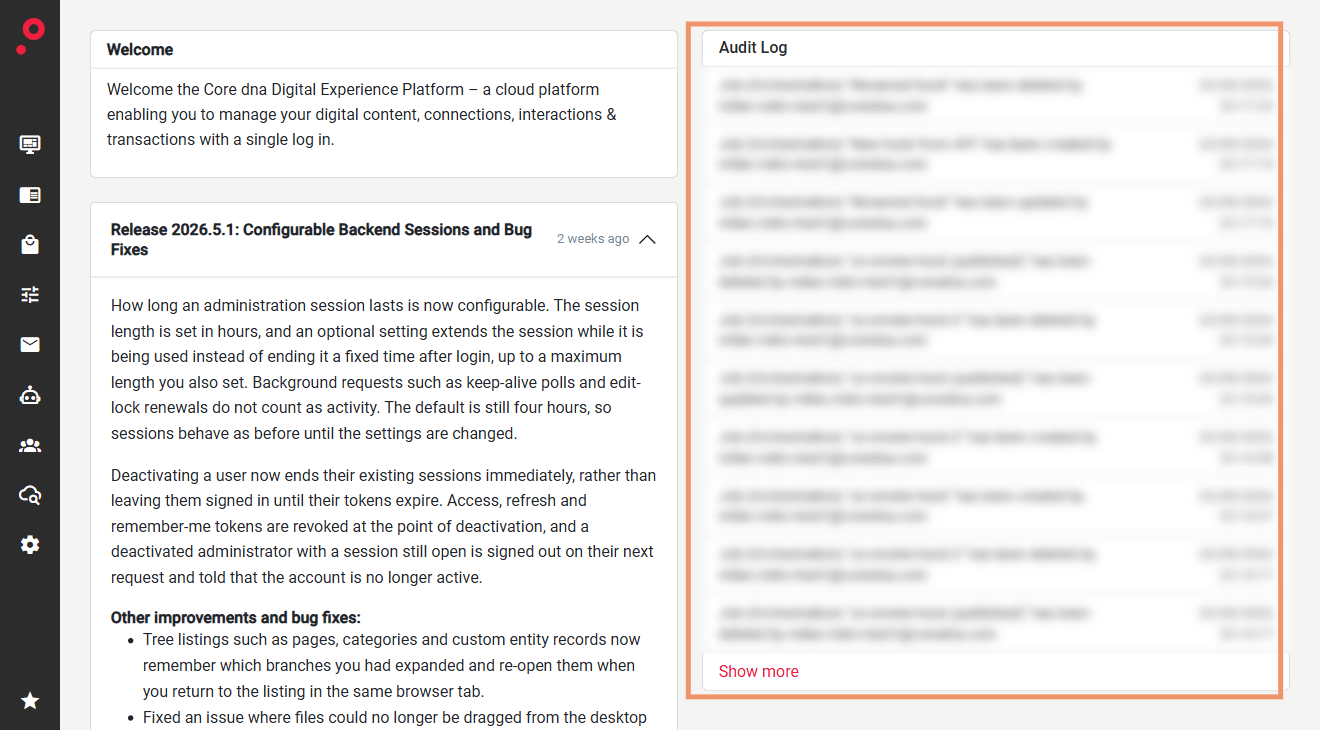
Click the “show more” link to navigate to the main Audit Log admin area.
Was this page helpful?
Your answer goes to the docs team.