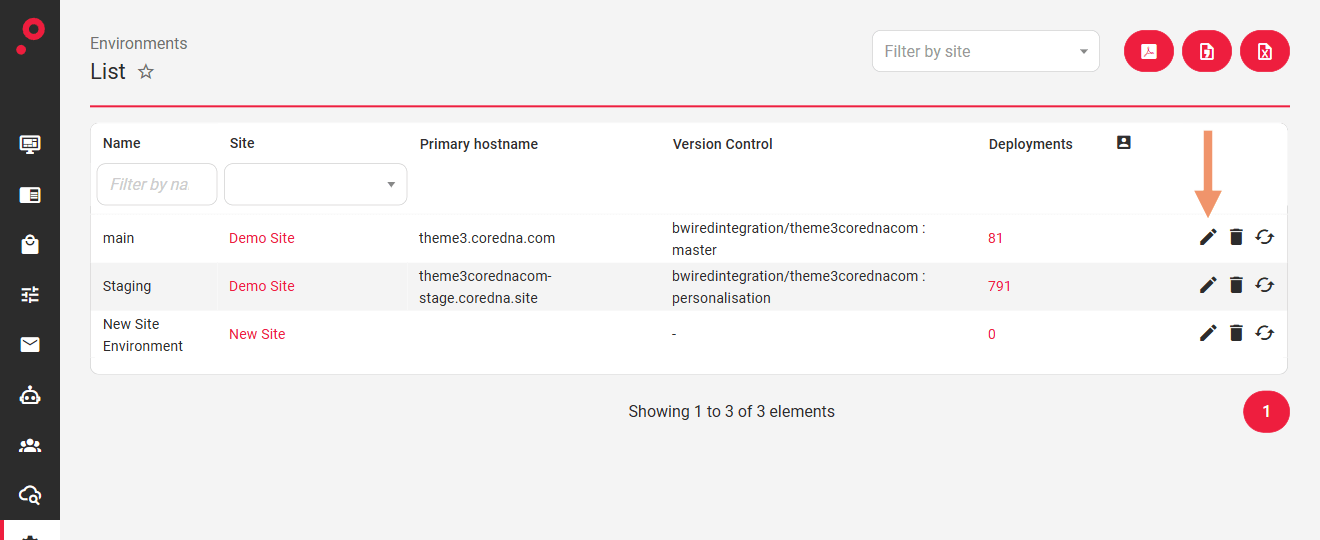
Hostnames are managed per environment; there is no separate Hostnames admin area. Navigate to System > Sites > Environments and click the “pencil” icon on the environment whose hostnames you want to change:
Hostnames
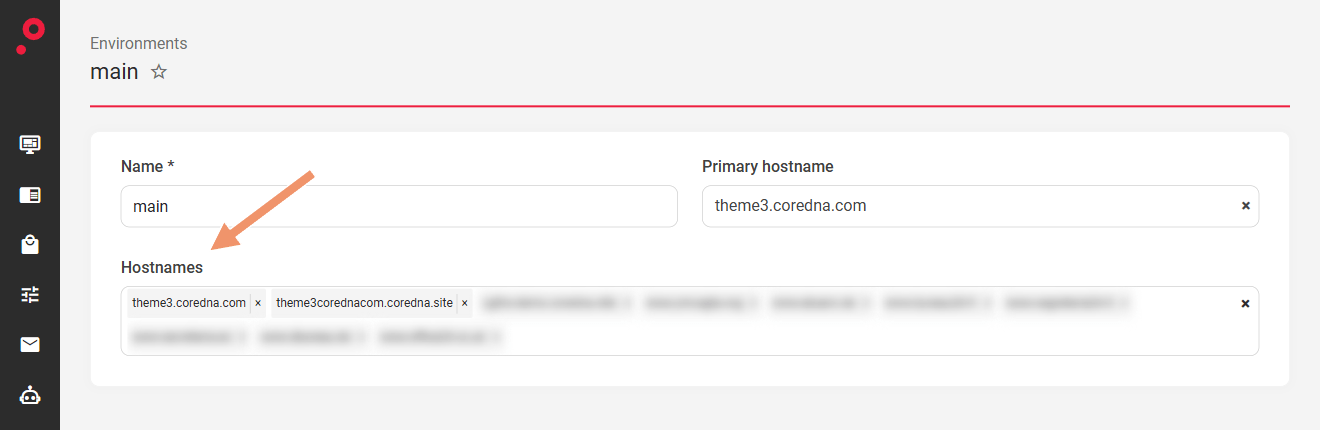
The Hostnames field on the Edit Environment page lists the hostnames assigned to that environment. Remove one with the “×” on its tag, or type a new hostname into the field and select it from the list that appears. The Primary hostname is chosen from the assigned hostnames. Save the environment to apply the changes:
Was this page helpful?
Your answer goes to the docs team.