Tags

Tags allow content to be collected together based on a certain set of criteria.

Tags work in a similar way as categories, and can be assigned to other content applications such as Pages or Blogs. The difference is that tags do not support hierarchy structure, so all the tags are commonly shared between all applications on the system (have a flat structure where all tags are parent items).

Tags can be:

  • Edited:

    • Edit tag value - updates all locations where that tag was used with the updated tag value.

    • Edit tag slug - updates the URL slug that the list of tagged items is available at.

  • Deleted - references to the tag can be removed from each content piece.
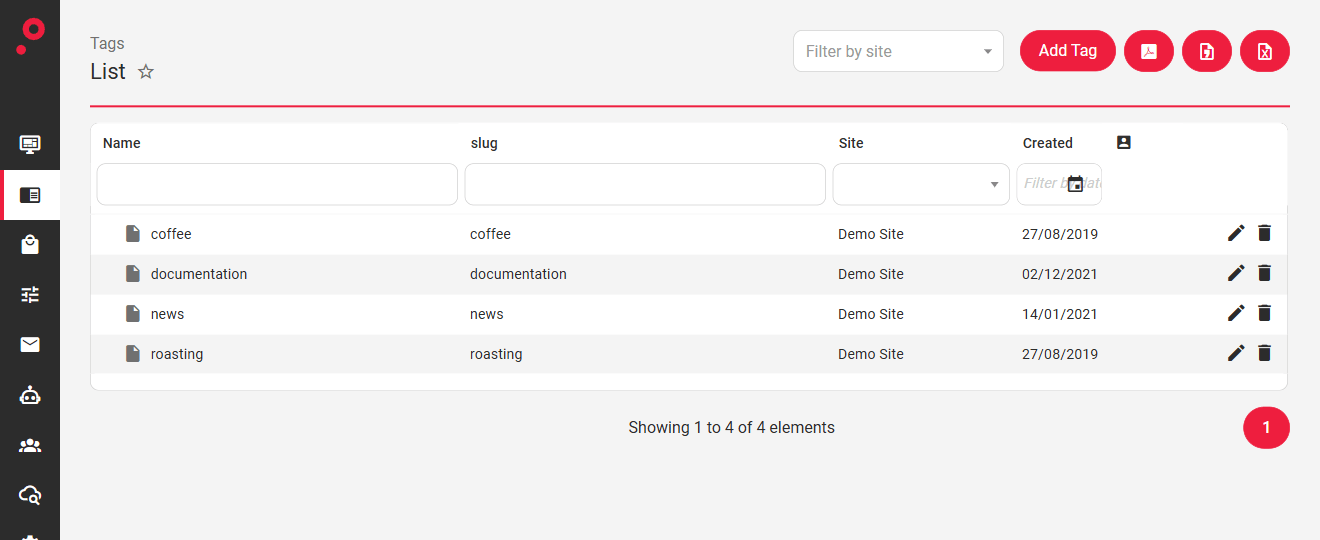
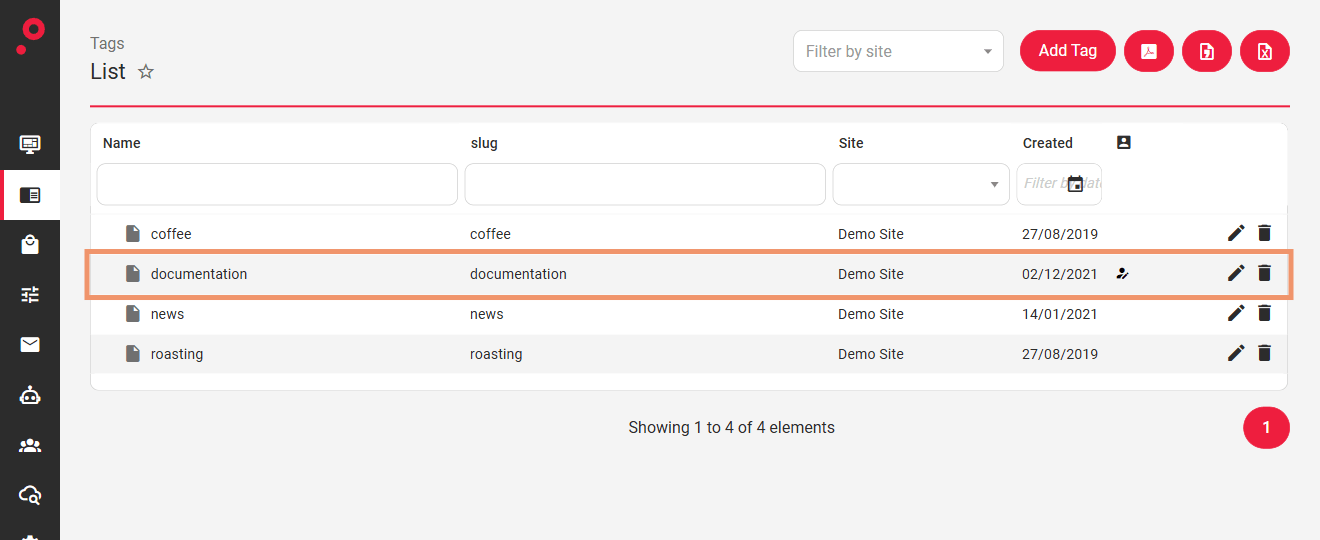
The Tags list in the Core dna admin

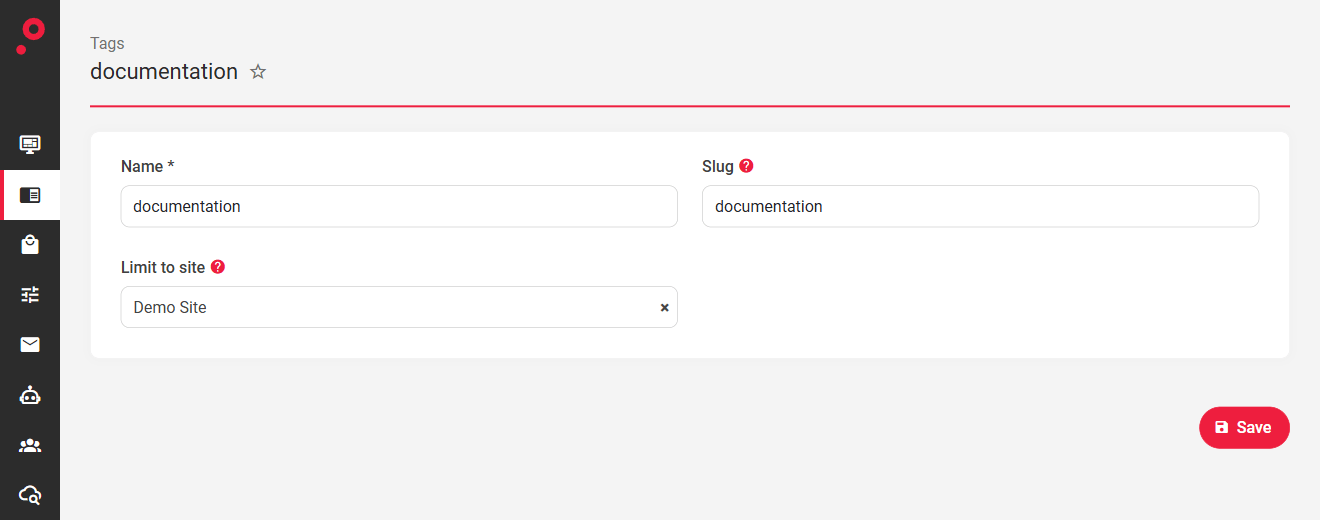
To add a tag to the list click on the “Add Tag” button positioned at the top of the admin page. On the Edit Tag page update the details and click save, the new tag will then be listed on the tags listing page:

The Edit Tag page with Name, Slug and Limit to site
The Tags list with the documentation tag highlighted

Use Example

Created tags will be available across content applications such as Pages, Blogs, FAQs etc. and as such records from those applications can be assigned to tags.

Pages:

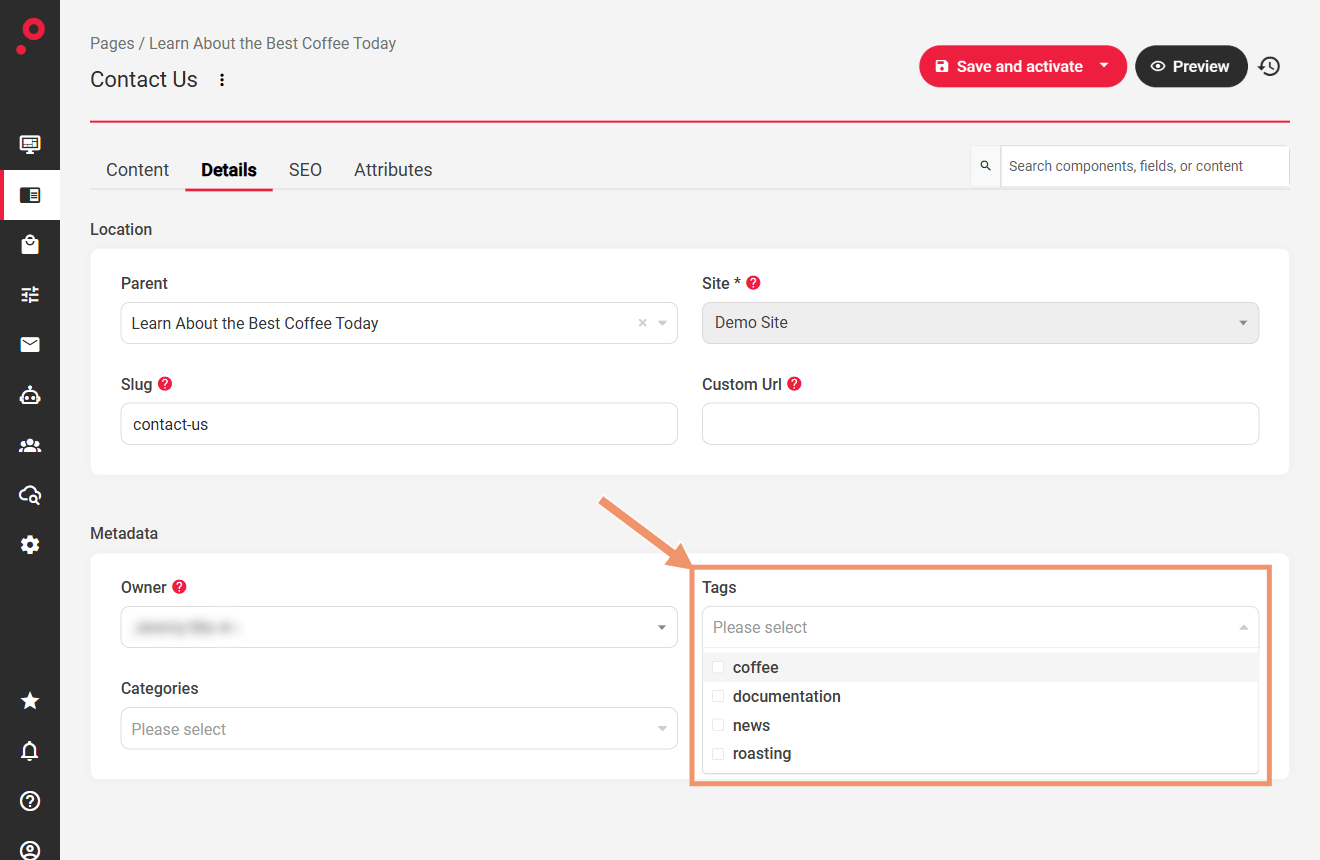
To assign a page to a tag Edit the page and within the Details tab assign the page to a desired tag.

The Details tab of a page with the Tags list open

Blogs

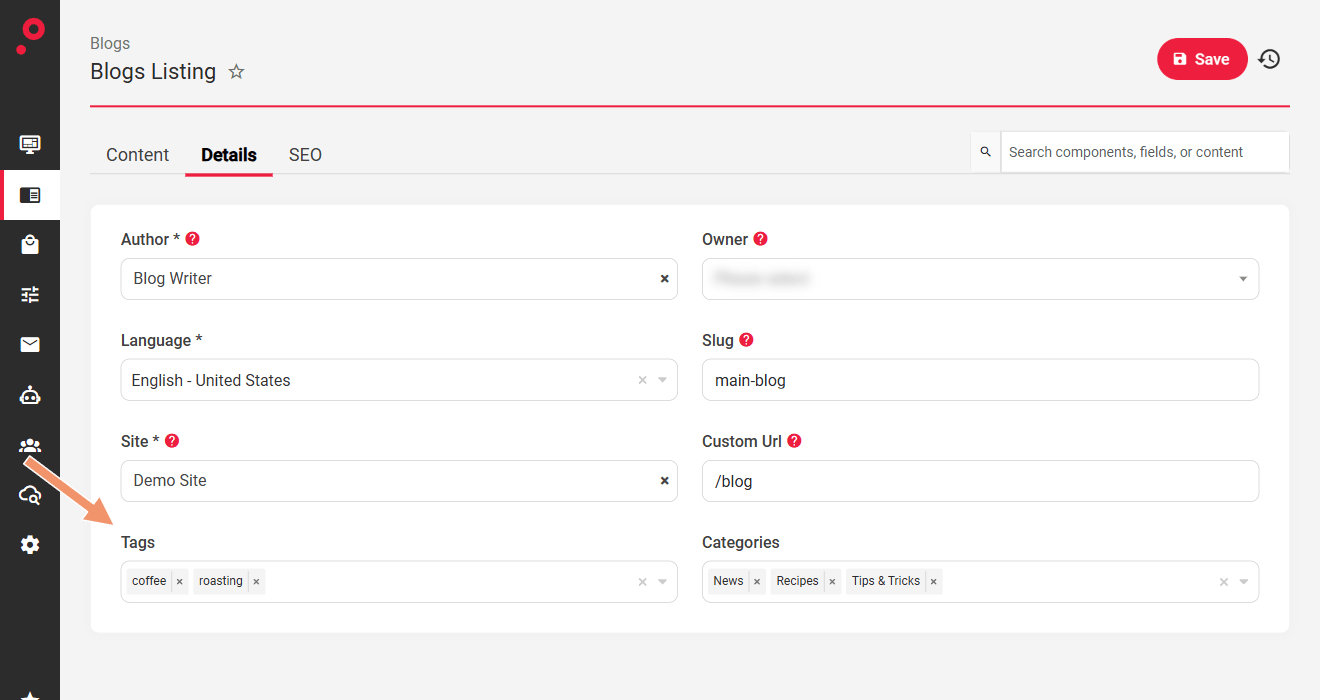
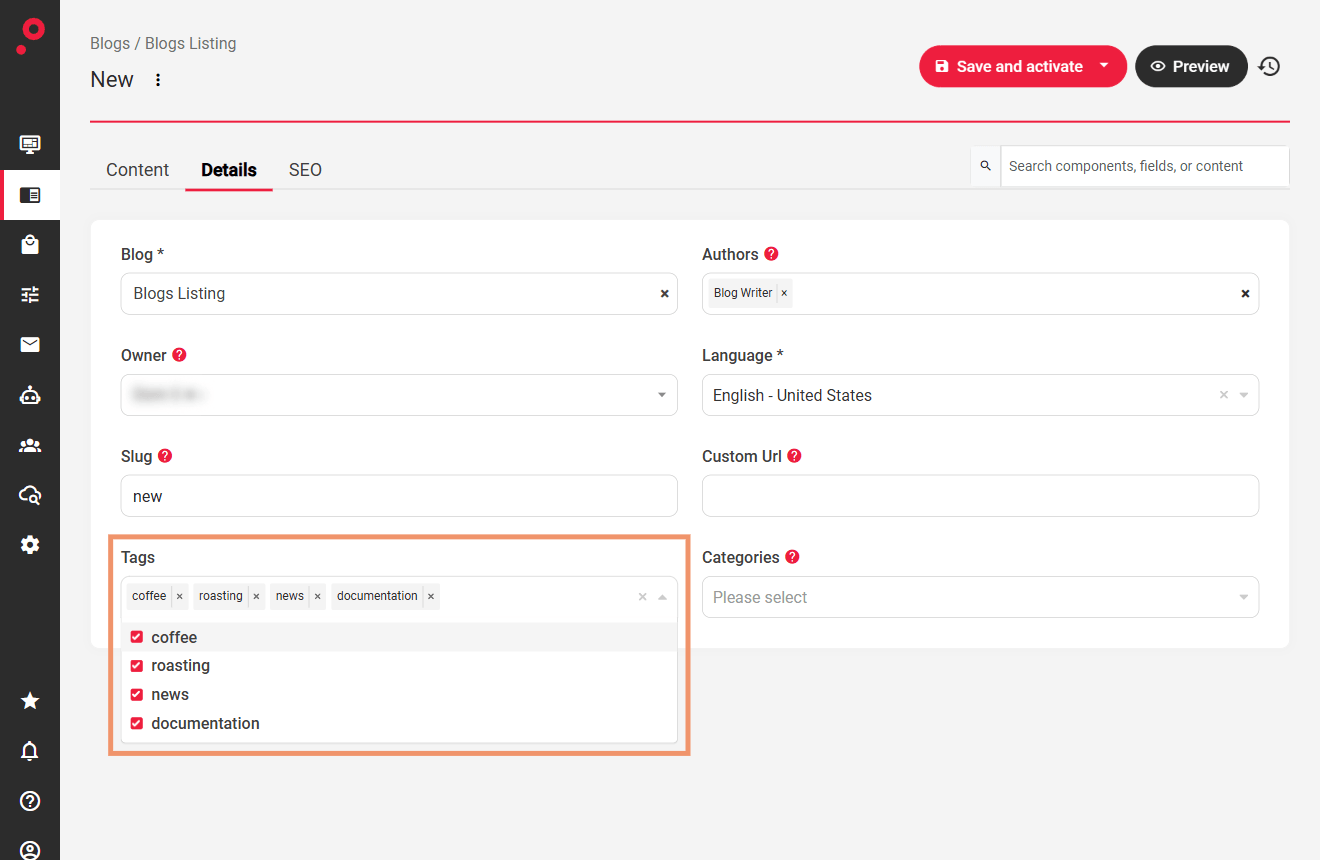
Navigate to Content > Blogs, on the main Blog Listing page edit one of the existing blog posts. On the Edit Blog page open the Details tab and assign the tags for this particular blog.

The Details tab of a blog with its Tags field

Blog Post:

The Details tab of a blog post with the Tags list open

Was this page helpful?

Your answer goes to the docs team.