AI agents in the admin
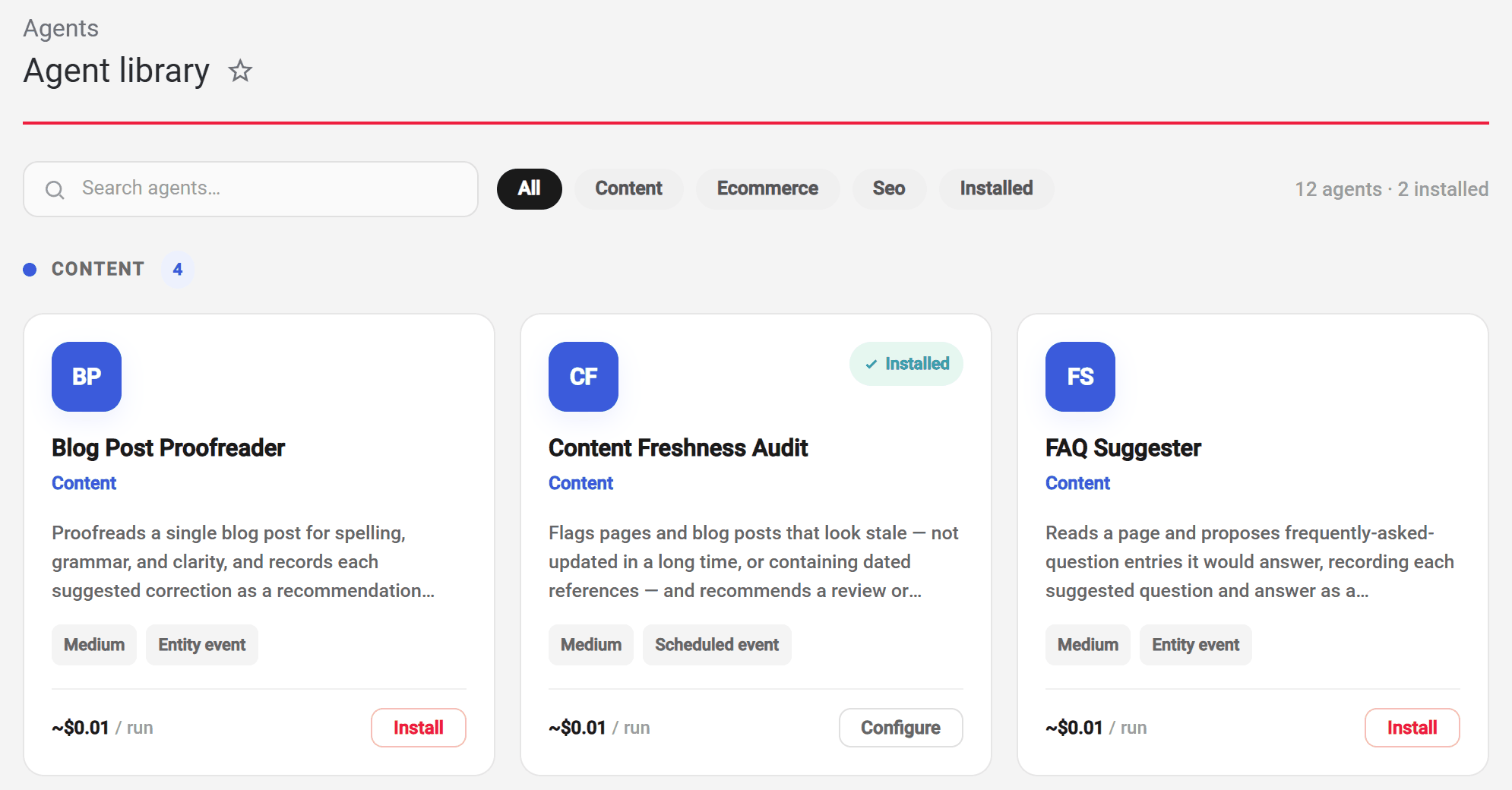
A new Agents section adds AI agents to the admin. The Library holds ready-made agents that proofread blog posts, improve product descriptions, suggest FAQs, audit content freshness, page meta, heading structure and image alt text, find internal link opportunities, and review sales, abandoned carts, order anomalies and refunds.
Install an agent
Installing an agent walks you through its options: use it as it is or fork it, choose how its changes are applied, preview it against your own records before committing, and attach it to a job so it runs on a schedule or when a record changes. A preview never changes your records and does not count towards your spend.
Review what it proposes
Agent findings arrive under Agents › Recommendations. Each shows the record before and after the proposed change, and can be accepted, rejected or undone, one at a time or in bulk. Low-risk changes can be applied automatically with a window in which they can still be vetoed, and an agent that needs a decision pauses and asks, optionally in a connected Slack channel.
Keys, budgets and runs
Provider keys for OpenAI, Anthropic and Google are entered under Agents › Providers & budgets, with a monthly cap and an alert threshold per provider. Every run is recorded under Agents › Invocations with its outcome, cost, token use and full transcript, and can be run again from there.