Release Notes

Release Notes

Every Core dna product, release by release, newest first. Each product ships on its own schedule.

Platform 2026.7

What’s new in Core dna Platform 2026.7

Passkeys, Audit Log API and Bug Fixes

Members and admin users can sign in with a passkey, and the audit log can be read, searched and added to through the API.

Key highlights

  • Passkeys: members and admin users sign in with a fingerprint, face recognition or a device PIN instead of a password.
  • Audit log API: read and search the audit log, and record your own events in it from an integration.

Changes in behaviour

  • Custom sign-in templates: a site with its own login, registration or My Account templates shows the passkey options only once those templates are updated. Core dna's built-in pages already include them; the Passkeys guide lists what each template needs.
  • Audit Log grid: the data source behind the admin Audit Log grid is now restricted to admin users. Integrations that read it should move to the new listing route.

Sign in with a passkey

Members and admin users can now sign in with a passkey: the fingerprint, face recognition or PIN they already use to unlock their device, in place of a password. A passkey belongs to one site, so it cannot be phished or reused elsewhere.

Switch it on

  1. Under Users › OAuth Authentication › Configuration, open the Passkeys group and switch on Enable.
  2. Set the Relying party ID to the site's domain and the Relying party name to the name people see on their device. Passkeys are tied to the relying party ID, so set it once: if it changes, everyone registers their passkeys again.
  3. Leave Require user verification on to ask for the fingerprint, face or PIN every time. Switch on Forbid Backend Login to keep passkeys to the website.

Passkeys need the site to run on HTTPS.
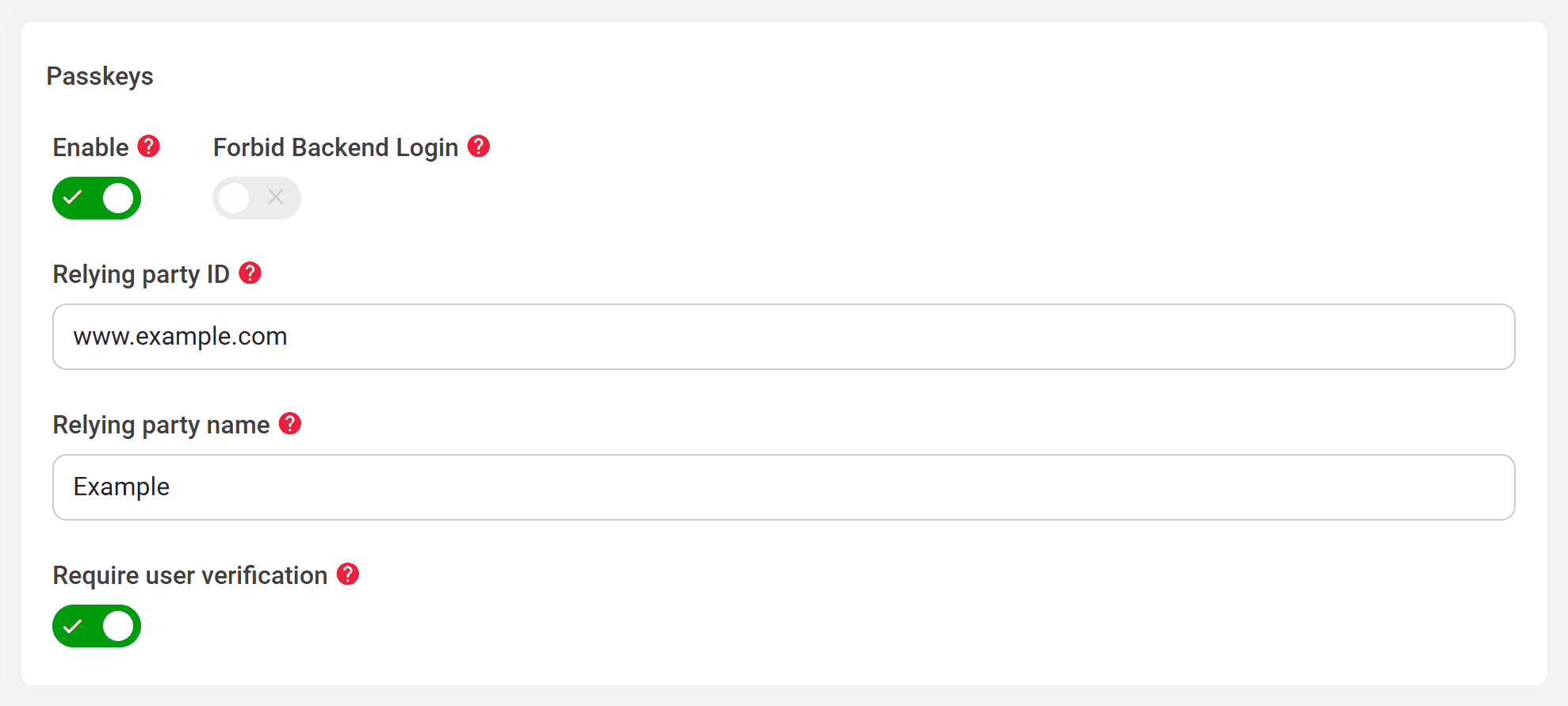
The Passkeys group of the OAuth settings, with Enable switched on, a relying party ID and name, and Require user verification on
Users › OAuth Authentication › Configuration › Passkeys

Managing passkeys

  • Admin users add, rename and remove their passkeys with Manage passkeys, in the Authenticators section of their own user. An administrator can remove another user's passkeys from that user's edit form.
  • Members manage theirs on the new Passkeys page in My Account, and can register with a passkey and no password at all.

Read and add to the audit log through the API

The audit log can now be read and searched through the API, and integrations can record their own events in it. Both routes are for admin users only.

  • GET /cdna-api/admin/audit-log-entries lists entries, 100 per page by default and up to 500. Filter by event, entity, record, user, source, changed field or time range, or search names, messages and changed data with query.
  • POST /cdna-api/admin/audit-log-entry records a custom event against any record. System event names are reserved, and an entry is always attributed to the user who sends it.

Passwords and other secrets in an entry's changed data are shown as *** everywhere, in the API and on the admin Audit Log page.

The latest page edits
GET /cdna-api/admin/audit-log-entries?event=UpdateRecord&entityClass=Pages\Entities\Page&orderBy=time:desc&limit=20 HTTP/1.1
Host: hub.coredna.com
Authorization: Bearer YOUR_ACCESS_TOKEN
Accept: application/json

Other improvements and bug fixes

  • Fixed an issue where a failed OAuth sign-in on sites using Twig templates showed raw template code instead of an error message. Error codes returned by an external login provider are now sanitised before they are displayed. A Twig site that overrides errors/oauth.html with Smarty syntax still shows that code as text, and should move the override to errors/oauth-twig.html.
  • Fixed an issue where record pickers on sites with more than 1,000 records showed saved items as an id marked unknown instead of the record's name. On sites with more than 1,000 people, the People picker on the group edit form now loads people in pages, with assigned people listed first and no skipped or repeated entries.
Go deeper

Was this page helpful?

Your answer goes to the docs team.